TaxisNet Authentication
| Site: | Μάθε το gov.gr |
| Course: | Library |
| Book: | TaxisNet Authentication |
| Printed by: | Guest user |
| Date: | Thursday, 23 July 2026, 10:36 AM |
1. TaxisNet Authentication
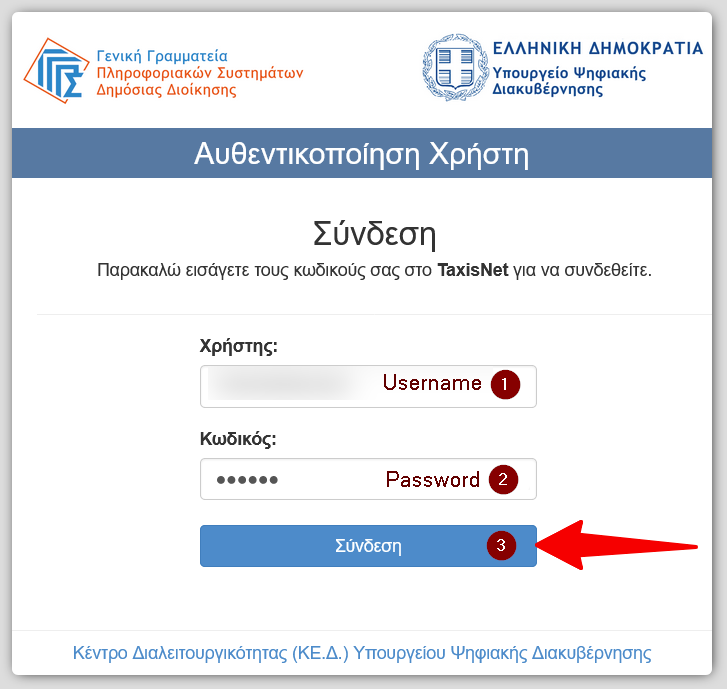
Enter the username (1) and password (2) of your personal TaxisNet account and press the Login button (3).
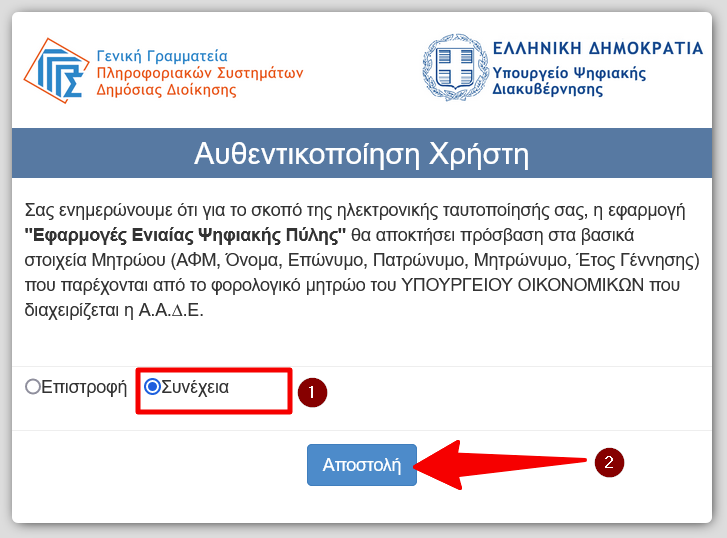
A confirmation page will then appear where you must give permission for the app to use your personal data. Check the Continue box (1) and press the Submit button (2).
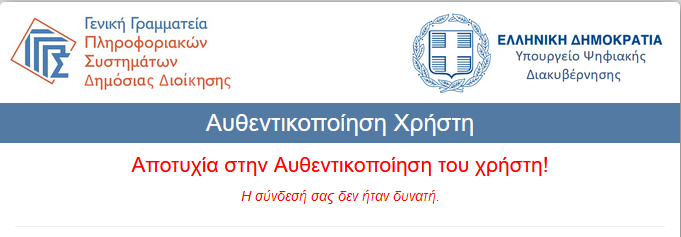
Authentication failed
In case you have entered any of your information incorrectly, you will get the message "Failed to authenticate user!". Make sure you typed the username and password correctly and try again.
If you have forgotten your password you can retrieve it from here. You will need to know the key number that was given to you when you were certified with the TaxisNet.